Key Features:
Easy connection to any TV
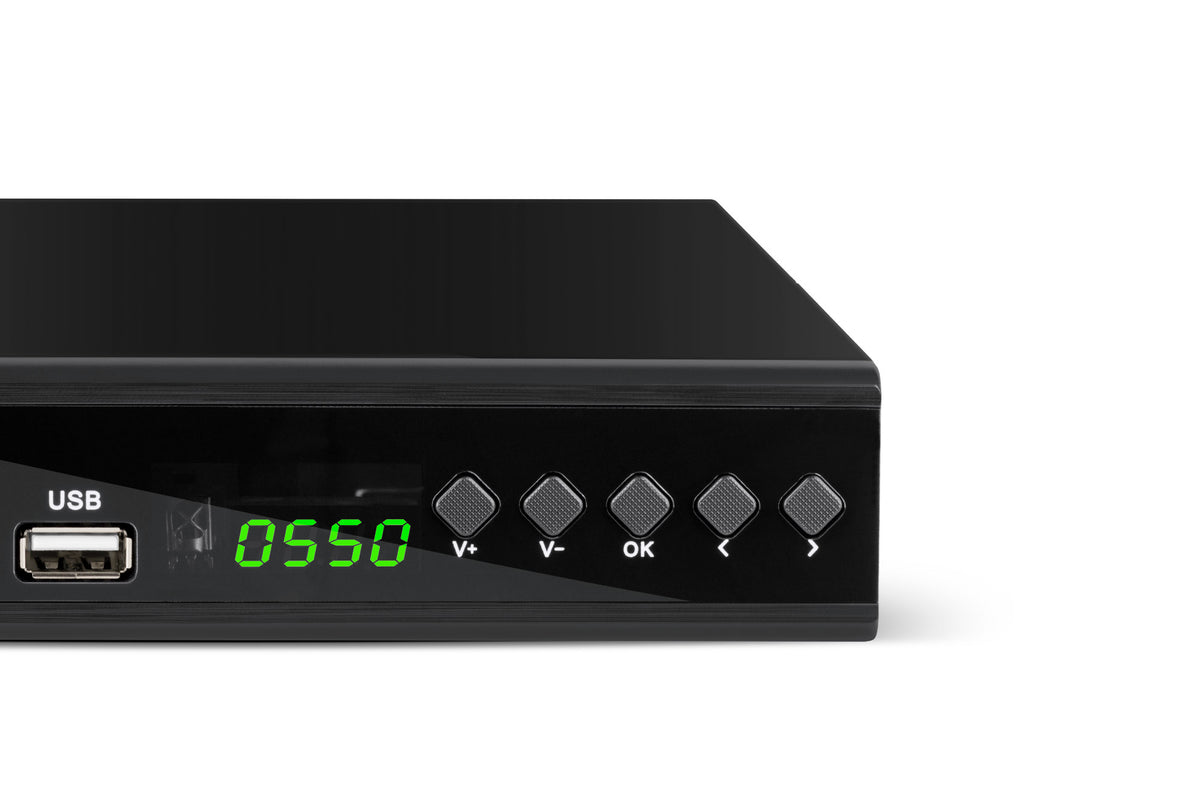
The Cabletech URZ0336C tuner is equipped with an HDMI port, allowing you to connect it to all newer TV models and watch programs in Full HD quality. Owners of older TV models can also easily connect the tuner using a SCART connector (also known as a Euro connector).
DVB-T2 tuner and media player in one
The URZ0336C receives digital terrestrial TV channels in Full HD quality. Additionally, the USB port on the front panel lets you play your favorite movies, photos, or music files stored on a flash drive or external hard drive.
EPG—you won’t need a TV guide anymore. The Cabletech DVB-T2 set-top box features a function that lets you check when your favorite shows are airing—up to 7 days in advance.
PVR—Can’t watch your favorite show? Schedule a recording and watch it whenever you want. Thanks to the PVR feature, you don’t even have to choose what to watch, because you can record a show on one channel while watching another.
Timeshift—don’t let the most exciting moment of a movie slip by! With this feature, you can pause the program you’re watching at any time, resume watching, or rewind. Parental Controls
Timer—With this feature, you can schedule a recording or turn on the TV and switch the tuner to a preset program.
Parental Controls – Stay on top of the shows your child is watching! The Cabletech DVB-T tuner with parental controls lets you set your child’s age and password-protect channels you don’t want them to watch.
Parental Controls – Stay in the loop on what your child is watching! The Cabletech DVB-T tuner with parental controls lets you set your child’s age and password-protect channels you don’t want them to watch.
Experience Dolby Digital Plus sound
The URZ0336C tuner plays audio in accordance with the E-AC-3 encoding standard. Dolby Digital Plus delivers high-quality, surround sound for your favorite movies and shows.
Use just one remote
The elegant black casing, combined with its compact size, ensures that the Cabletech DVBT tuner will look great on your TV stand. A handy remote control with TV Control functionality ensures easy operation. With the buttons properly programmed, you’ll be able to quickly and easily manage the functions of both your TV and the tuner using a single remote.
How do you program the remote?
1. Point the remote controls at each other at the same height.
2. Press and hold the SET button until the red indicator lights up.
3. On the tuner remote control, press one of the programmable buttons (located in the TV CONTROL frame).
4. Press the same button on the TV remote several times.
5. Once programming is successful, the LED will flash twice.
6. Press the SET button to exit pairing mode.
7. The button has been assigned a function. If the button does not work, repeat the steps above.